# Introduction

Learn about Kodezi!

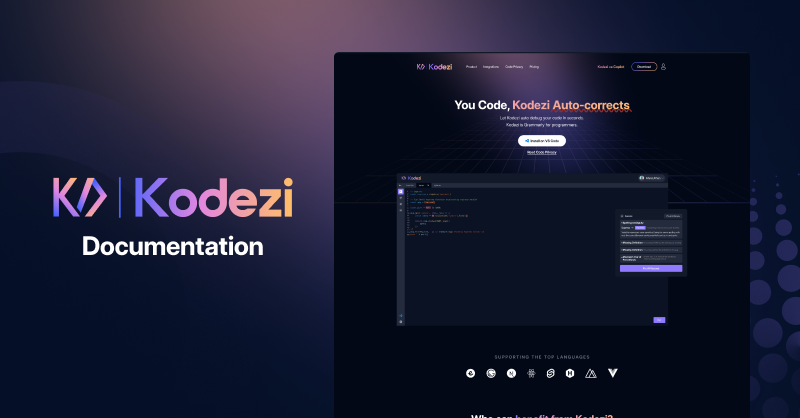
**Kodezi** is an AI Development platform that provides features to maximize programming productivity.&#x20;

Kodezi uses large parameter language models trained on a collection of natural and programming languages from various open-source places to;&#x20;

1. Debug your code automatically with details
2. Optimize your code based on context.
3. Convert code from one programming language to another.
4. Generate Documentation for your code.
5. Generate Code from Natural Language Instructions.
6. Kodezi Chatbot the premier chatbot for programmers.

<figure><img src="https://1546495129-files.gitbook.io/~/files/v0/b/gitbook-x-prod.appspot.com/o/spaces%2FuCUGeAGoLnKn0XrQ3cCn%2Fuploads%2FBPFJDxNBf3mZ9jclE0xl%2FFrame%206.png?alt=media&amp;token=df939a91-396b-44cd-9ce6-171e5980b406" alt=""><figcaption></figcaption></figure>

## Overview

<details>

<summary>Basics</summary>

* **Installation** - Kodezi Extension can be found in Visual Studio Code. Follow the steps to set up Kodezi Extension on your Visual Studio Code IDE. [Learn more](/basics/installation).
* **Features** - Kodezi Extension Offers 7 different features with special characteristics - e.g. debugging/self-correcting, optimization, conversion, etc...  [Learn more](/basics/features).
* **Linters** - A Linter analyzes source code to look for problems and highlights any problems which are found. Linters are used for the debugging functionality in Kodezi Extension. Each programming language uses a Linter which has been created to work with that specific programming language. [Learn more](broken://pages/FmZPkqdsh3ahXfPfrclx).
* **Integrations**- We support VS Code & Our Web version IDE. [Learn More](/basics/integrations).
* **Language Support**- Kodezi supports various languages. View the full list [here](/basics/language-support).

</details>

<details>

<summary>Tool Guides</summary>

* **Debugging** - It is a multi-step process that involves identifying a problem, isolating the source of the problem, and then correcting the problem or identifying a way around it. [Learn more](/feature-guides/debugging)
* **Optimizing** - Raises the efficiency and quality of the code. Code can be optimized in various ways -  if there are ways to refactor the code so fewer lines of code are needed, if less memory can be used, if fewer input/output operations are required or if the program can run faster. [Learn more](/feature-guides/optimizing)
* **Converting** - The automated conversion of algorithms from one programming language to another while preserving the source code's structure, variables, and comments. [Learn more](/feature-guides/converting)
* **Generate Documents** - We provide 3 different features for document generation: Line-By-Line Commenting, Code Summary, and Docstring. [Learn more](/feature-guides/generate-documents)
* **Generate Codes** - AI-based and can generate complex code using carefully curated instructions or natural language pseudo-code. 30 different programming languages are supported. [Learn more](/feature-guides/generate-code)
* **Code Transformation** - Transform your code with natural language instruction. [Learn more](broken://pages/7NgXalCIl2Eu1YWt1tCv)
* **Kodezi Chatbot -** The premier chatbot for programmers, designed to deliver a seamless and intuitive user experience for developers. [Learn more](/feature-guides/kodezi-chat)

</details>

<details>

<summary>Use Cases</summary>

* **Students -** Kodezi Extension provides features for students which dramatically accelerate the pace of learning and help them become better programmers faster. [Learn more](broken://pages/hTamGtpgWlfpq2QvtbUE)
* **Developers -**&#x4B;odezi Extension makes Developers much more efficient by automating time-consuming tasks like finding and fixing bugs, generating documentation, optimizing code, and converting code into a different programming language. [Learn more](broken://pages/9364KrqSKPq21mKYOu67)
* **Teams -** Kodezi also offers custom solutions and features for teams. [Learn more](broken://pages/P2o90QDry7sLNZP3FgGS)

</details>


# Tutorials

Watch how to use Kodezi on Web-IDE and Visual Studio Code

Below are the steps for Kodezi Web-IDE and the Visual Studio Code Extension.

{% embed url="<https://www.loom.com/share/69927b250b094e38b73998cc0e12b7a8>" %}
Kodezi Visual Studio Code Extension Kodezi Tutorial
{% endembed %}

{% embed url="<https://www.loom.com/share/84fd26aa6cb6442fb347e9b6221cbc25>" %}
Kodezi Web-IDE Tutorial
{% endembed %}


# Installation

Learn how to install Kodezi Extension in your VS Code IDE.

Kodezi Extension can be found in the Visual Studio Code IDE.  Follow the below steps to set up Kodezi Extension in your Visual Studio Code IDE.

{% hint style="info" %}
Kodezi Extension supports Windows, Linux, and macOS. If you have any installation issues contact our team <mark style="color:blue;">**<support@kodezi.com>**</mark>
{% endhint %}

## Step 1 :

Open the Visual Studio Code IDE. Then click on the Extension Button in your activity bar. If you want to download directly follow the instructions [here](https://kodezi.com/ide).

<figure><img src="https://1546495129-files.gitbook.io/~/files/v0/b/gitbook-x-prod.appspot.com/o/spaces%2FuCUGeAGoLnKn0XrQ3cCn%2Fuploads%2FqqlXqdUGvjc5R1Ixf5FF%2FStep%2001.png?alt=media&amp;token=276c2e95-82b2-4cb9-b8ed-a1e437b84682" alt=""><figcaption></figcaption></figure>

## Step 2 :

Type "Kodezi Extension" in the search bar located at the top. Kodezi Extension will be listed in the results. Click on Install Button under Kodezi Extension.

<figure><img src="https://1546495129-files.gitbook.io/~/files/v0/b/gitbook-x-prod.appspot.com/o/spaces%2FuCUGeAGoLnKn0XrQ3cCn%2Fuploads%2FKe4wWK0IwQQYM3nmCc05%2FStep%2002.png?alt=media&amp;token=6a96a4b1-5e1c-4e5f-af90-bc3c8616dfa6" alt=""><figcaption></figcaption></figure>

Once installation is complete Kodezi Extension will be listed on your activity bar and be ready for use.

<figure><img src="https://1546495129-files.gitbook.io/~/files/v0/b/gitbook-x-prod.appspot.com/o/spaces%2FuCUGeAGoLnKn0XrQ3cCn%2Fuploads%2FDoJrTeP13z3fjpHef4hJ%2F25.11.2022_16.46.17_REC.png?alt=media&amp;token=e0be98c6-5dbe-49cd-bc78-10c47d93f832" alt=""><figcaption></figcaption></figure>


# Features

Learn more about Kodezi's features

**Kodezi Extension** provides an intuitive user interface and straightforward functionality which enables users to get results immediately. Developers, Students - anyone writing code - can benefit from the features Kodezi Extension provides.

### Debugging:

Debugging code is a time consuming and tedious process. Let Kodezi Extension take care of the debugging so you don't have to. Kodezi Extension uses AI to understand the context of your code and fix it accordingly. A [linter](broken://pages/FmZPkqdsh3ahXfPfrclx) is used to detect any logical or syntax issues and highlights them. You can correct each issue with a single click, line by line, or even word by word. More information can be found in the [Feature Guide](/feature-guides/debugging).

{% hint style="info" %}
At this time, only five languages - Python, Java, JavaScript, C, and C++ - support the functionality for Error Highlight, Error Description, and Fix Errors by Line and by Word. We plan to provide this functionality for additional programming languages in the future. For the other programming languages we support, at this time, all identified problems get fixed simultaneously and not line by line.&#x20;
{% endhint %}

### Optimizing:

Whenever possible Kodezi Extension will optimize your code by reducing the amount of code, and eliminating gaps and unneeded lines. Kodezi Extension will also try to improve your code by making it consume fewer resources (i.e. CPU, Memory) so that faster-running machine code will result. This functionality can be especially handy when you need to bundle the code. More information can be found in the [Feature Guide](/feature-guides/optimizing).

### Converting:

Easily converting code from one language into another can be beneficial for any developer who works or studies in different languages. Kodezi Extension will analyze your code and then build a translation model to convert it into the desired language. Currently, 30 programming languages are supported. More information can be found in the [Feature Guide](/feature-guides/converting).

### Generate Documents:

#### Line By Line Commenting:

At the end of each line of code, Kodezi Extension can automatically comment on the purpose of the code - what that line of code is meant to do. This can be a huge time saver for anyone writing code - eliminating the need to write comments. For students, it can be helpful to understand exactly what each piece of code is doing-especially if the code is new and unfamiliar. More information can be found in the [Feature Guide](/feature-guides/generate-documents/line-by-line-commenting).

#### Code Summary:

Reads a section of code and identifies what the code is intended to do. At the beginning of the section of code, Kodezi Extension will then provide a multiple-line explanation of exactly what the code will be doing as it runs through and executes the various lines of code. More information can be found in the [Feature Guide](/feature-guides/generate-documents/code-summary).

#### Docstring:

Identifies each block, including the children and parents, then Kodezi Extension will explain the code in accordance with the block. If the block is a parent, it will also explain the parents and any relevant facts regarding the children, after which it will explain in full. More information can be found in the [Feature Guide](/feature-guides/generate-documents/docstring).

{% hint style="info" %}
Only Python, Java, JavaScript, C, C++, and C# are supported by the Docstring feature.
{% endhint %}

### Generate Code:

Among all the Kodezi Extension features, this one is the most intriguing. Both students and developers can benefit from this feature. This feature can produce complex code in response to a user carefully inputting curated instructions or natural language pseudo-code. The quality of the generated code is dependent on the accuracy of the user's instructions. More information can be found in the [Feature Guide](/feature-guides/generate-code).

### Kodezi Chatbot:

the premier chatbot for programmers, designed to deliver a seamless and intuitive user experience for developers. Our chatbot has been crafted with the latest cutting-edge technologies and advanced algorithms to provide the most efficient and effective solution for all your programming needs. [Feature Guide](/feature-guides/kodezi-chat).


# Integrations

Kodezi Extension Integrations

### [Web IDE](https://kodezi.com/user/live/assistance)&#x20;

Kodezi provides an online Web IDE for users to input code and use the Kodezi features without having to download our VS Code Extension. Try out the online Web IDE to test out the features.

{% hint style="warning" %}
The Web IDE does not include detailed bug descriptions.&#x20;
{% endhint %}

<figure><img src="https://1546495129-files.gitbook.io/~/files/v0/b/gitbook-x-prod.appspot.com/o/spaces%2FuCUGeAGoLnKn0XrQ3cCn%2Fuploads%2F3JdTYwvXCLGYnLT2wBZs%2FL%20A%20Debugging%20Generate.png?alt=media&amp;token=1f3f5c4d-8b71-4a85-9cf1-f005b9b23504" alt=""><figcaption></figcaption></figure>

### Visual Studio Code

Kodezi has an integration with Visual Studio Code, with our extension you can freely use our features while coding in your IDE. [Learn more](/basics/installation)

<figure><img src="https://1546495129-files.gitbook.io/~/files/v0/b/gitbook-x-prod.appspot.com/o/spaces%2FuCUGeAGoLnKn0XrQ3cCn%2Fuploads%2FMaYGIEQcXjW9nGz6in3W%2FGenerate%20Documentation%20Select%20Type.png?alt=media&amp;token=8d9c59c0-f019-42fd-83c8-71492ae8fef4" alt=""><figcaption></figcaption></figure>

### GitHub

{% hint style="info" %}
Integration with GitHub will be added in 2023 - to increase the value that Kodezi Extension provides for Teams.
{% endhint %}


# Language Support

Complete List of Languages Supported

The list of supported languages is comprehensive for a reason. The goal is to provide a platform that supports all of the programming languages used today so everyone can use Kodezi Extension. Front-end developers, back-end engineers and anyone else involved in creating code can benefit.&#x20;

### Debugging

Our sophisticated Code Debugging feature works in more than 30 languages. It offers detailed descriptions of errors present in the code for 10 languages currently, so a user is able to fix their code and also learn what the underlying issue for the bug or error was.

### Supported Languages (Detailed Bug Descriptions)

{% hint style="info" %}
Python, JavaScript, Java, C, C#
{% endhint %}

### Supported Languages (Normal Debugging)

{% hint style="info" %}
JavaScript, Java, Ruby, C, Bash, Solidity, Python, Node.js, C++, Scheme, Go, Rust, Clojure, Haskell, Kotlin, Lua, C#, FSharp, Swift, R, Perl, Dart, Erlang, TypeScript, PHP, SQLite, Scala, Nix, Objective-C, CSS3, Sass, HTML, and XML.&#x20;
{% endhint %}

### Optimization

* Our Optimization feature tries to improve your code by making it consume fewer resources (i.e. CPU, Memory) so that faster-running machine code will result. This feature targets the optimization of various activities such as Loop Unrolling, Instruction Scheduling, Register Allocation, and Dead Code Elimination.&#x20;

### Supported Languages

{% hint style="info" %}
JavaScript, Java, Ruby, C Language, Bash, Solidity, Python, Node.js, C++, Scheme, Go, Rust, Clojure, Haskell, Kotlin, Lua, C#, FSharp, Swift, R, Perl, Dart, Erlang, TypeScript, PHP, SQLite, Scala, Nix, Objective-C, CSS3, Sass, HTML and XML
{% endhint %}

### Converting

* Our Code Conversion feature provides automated conversion of algorithms from one language to another while preserving the source code's structure, variables, and comments.&#x20;

### Supported Languages

{% hint style="info" %}
JavaScript, Java, Ruby, C Language, Bash, Solidity, Python, Node.js, C++, Scheme, Go, Rust, Clojure, Haskell, Kotlin, Lua, C#, FSharp, Swift, R, Perl, Dart, Erlang, TypeScript, PHP, SQLite, Scala, Nix, and Objective-C.
{% endhint %}

### Generate Documents

#### 1. Line By Line Commenting

* Automatically add comments to your code so others can easily understand your thought process and build upon it. Also great for students who need to understand code that was written by someone else.

{% hint style="info" %}
JavaScript, Java, Ruby, C Language, Bash, Solidity, Python, Node.js, C++, Scheme, Go, Rust, Clojure, Haskell, Kotlin, Lua, C#, FSharp, Swift, R, Perl, Dart, Erlang, TypeScript, PHP, SQLite, Scala, Nix, Objective-C, CSS3, Sass, HTML, and XML.
{% endhint %}

#### 2. Code Summary

* At the beginning of a section of code, this feature automatically adds an explanation regarding what the section of code is created to do. It can be either a single-line or multi-line explanation.&#x20;

{% hint style="info" %}
JavaScript, Java, Ruby, C Language, Bash, Solidity, Python, Node.js, C++, Scheme, Go, Rust, Clojure, Haskell, Kotlin, Lua, C#, FSharp, Swift, R, Perl, Dart, Erlang, TypeScript, PHP, SQLite, Scala, Nix, Objective-C, CSS3, Sass, HTML and XML
{% endhint %}

#### 3. Docstring Generation

* This feature automatically generates Docstring so you no longer need to worry about creating documentation for your code

{% hint style="info" %}
Python, Java, JavaScript, C, C++, and C#
{% endhint %}

### Generate Code

* &#x20;Automatically generate complex code with the help of carefully curated instructions or natural language pseudo-code.

{% hint style="info" %}
JavaScript, Java, Ruby, C Language, Bash, Solidity, Python, Node.js, C++, Scheme, Go, Rust, Clojure, Haskell, Kotlin, Lua, C#, FSharp, Swift, R, Perl, Dart, Erlang, TypeScript, PHP, SQLite, Scala, Nix, Objective-C, CSS3, Sass, HTML, and XML.
{% endhint %}


# Debugging

How to use the Debugging feature.

The Debugging feature is both powerful and easy to use. It can help you to identify, debug and solve coding issues quickly and easily, increasing your overall efficiency.&#x20;

In order for the Debugging feature to work properly, the AI needs to receive enough code so that it can understand the context of the code and fix it accordingly. Descriptive names for functions, classes and variables should be used. This type of naming will help the AI understand the context and provide a valid solution.

### Step 1 :

Log in first with Google Authentication on Kodezi.

<figure><img src="https://1546495129-files.gitbook.io/~/files/v0/b/gitbook-x-prod.appspot.com/o/spaces%2FuCUGeAGoLnKn0XrQ3cCn%2Fuploads%2FdTYQfAmfu4j93MWL6Okq%2FStep%2003%20(1).png?alt=media&amp;token=e5c4f5b8-4dff-4e3c-9225-ecb84b56026f" alt=""><figcaption></figcaption></figure>

### Step 2 :

After successfully logging in, select the Debugging button for the short method, or use the context menu when right-clicking the code editor.

<div><figure><img src="https://1546495129-files.gitbook.io/~/files/v0/b/gitbook-x-prod.appspot.com/o/spaces%2FuCUGeAGoLnKn0XrQ3cCn%2Fuploads%2Ft1FC3LlFGoHlpSniw9LG%2FFrame%2055935.png?alt=media&amp;token=ea3a02cb-dca7-4d96-9679-99df731b09ea" alt=""><figcaption><p>Kodezi Quick Explorer</p></figcaption></figure> <figure><img src="https://1546495129-files.gitbook.io/~/files/v0/b/gitbook-x-prod.appspot.com/o/spaces%2FuCUGeAGoLnKn0XrQ3cCn%2Fuploads%2Ff4bwYygrGvzNNn29uJ1w%2FFrame%2055937.png?alt=media&amp;token=7b0c63b9-be34-4397-921c-6a1a590c39a9" alt=""><figcaption><p>Visual Studio Code Context Menu</p></figcaption></figure></div>

{% hint style="warning" %}
Kodezi does not support extremely large sections of code, so you may have to select a block of code for debugging if guided to do so.
{% endhint %}

### Step 3 :

After clicking the debugging button, the debugging process will start.

<figure><img src="https://1546495129-files.gitbook.io/~/files/v0/b/gitbook-x-prod.appspot.com/o/spaces%2FuCUGeAGoLnKn0XrQ3cCn%2Fuploads%2FRU7jZDlZjctDoUQLKznn%2Fdebug2.png?alt=media&amp;token=c6f09c35-2b1e-43fd-bfce-ecc0778ac86d" alt=""><figcaption></figcaption></figure>

### Step 4 :

You will see results similar to these in your IDE once the debugging process is finished.

<figure><img src="https://1546495129-files.gitbook.io/~/files/v0/b/gitbook-x-prod.appspot.com/o/spaces%2FuCUGeAGoLnKn0XrQ3cCn%2Fuploads%2FMaYGIEQcXjW9nGz6in3W%2FGenerate%20Documentation%20Select%20Type.png?alt=media&amp;token=8d9c59c0-f019-42fd-83c8-71492ae8fef4" alt=""><figcaption></figcaption></figure>

### Step 5:

You can correct errors by word, line, and one-click to fix all issues.

<figure><img src="https://1546495129-files.gitbook.io/~/files/v0/b/gitbook-x-prod.appspot.com/o/spaces%2FuCUGeAGoLnKn0XrQ3cCn%2Fuploads%2FWEDj7ymjmsq0YtiNaXFk%2FFrame%2055930.png?alt=media&amp;token=61a0ca2c-771d-497c-96ae-3645471dfedc" alt=""><figcaption></figcaption></figure>

1. Fix Line will fix the issues only on line 57.
2. purple button "NEW\_LINE" will replace the word "const RevAs=CallReverse()" into a new line.
3. Fix All Issues will fix errors at one click and the solution will replace your original file.

### Tips

The AI's main purpose is to make sure your code is able to be compiled. So if you use the debugging feature and the code is incomplete, the AI will try to complete the code so it can be compiled. Since comments aren't required to make code compile, if there are comments in the code, then, the comments may be removed. Try to input code that is standalone and can be compiled. The following are some examples of good and bad code for debugging;

**Good Code Input;**

<figure><img src="https://1546495129-files.gitbook.io/~/files/v0/b/gitbook-x-prod.appspot.com/o/spaces%2FuCUGeAGoLnKn0XrQ3cCn%2Fuploads%2FdT9BsceRVTbJkZAIUpq5%2Fimage.png?alt=media&amp;token=21d35c9c-1803-4963-806d-ee346bc5b230" alt=""><figcaption><p>Complete in context, has functions which are being used in other functions present so AI doesn't try to generate it to make the code compilable.</p></figcaption></figure>

**Bad Code Input;**

<figure><img src="https://1546495129-files.gitbook.io/~/files/v0/b/gitbook-x-prod.appspot.com/o/spaces%2FuCUGeAGoLnKn0XrQ3cCn%2Fuploads%2FJZIYYMEDrD87XJyMpB0B%2Fimage.png?alt=media&amp;token=52c99310-62f7-4cb6-b376-68a8aa10e494" alt=""><figcaption><p>Incomplete in context, functions which being used are not declared in the scope so AI will try to fix this, disrupting the codes flow when the debugged code is integrated back into the original pipeline.</p></figcaption></figure>

##


# Optimizing

How to use the Optimizing feature.

The code optimization in the synthesis phase is a program transformation technique, which tries to improve the intermediate code by making it consume fewer resources (i.e. CPU, Memory) so that faster-running machine code will result. Our State of the art Optimization feature will target the optimization of various activities such as Loop Unrolling, Instruction Scheduling, Register Allocation, and Dead Code elimination.&#x20;

The optimization process will be performed to improve the performance of the application by reducing the overall execution time, memory usage, and power consumption.

### Step 1 :

Log in first with Google Authentication on Kodezi.

<figure><img src="https://1546495129-files.gitbook.io/~/files/v0/b/gitbook-x-prod.appspot.com/o/spaces%2FuCUGeAGoLnKn0XrQ3cCn%2Fuploads%2FdTYQfAmfu4j93MWL6Okq%2FStep%2003%20(1).png?alt=media&amp;token=e5c4f5b8-4dff-4e3c-9225-ecb84b56026f" alt=""><figcaption></figcaption></figure>

### Step 2 :

After successfully logging in, select the Optimizing button for the short method, or use the context menu when right-clicking the code editor.

<div><figure><img src="https://1546495129-files.gitbook.io/~/files/v0/b/gitbook-x-prod.appspot.com/o/spaces%2FuCUGeAGoLnKn0XrQ3cCn%2Fuploads%2FftbxjqdAvfFRvaLSdISI%2FFrame%2055940%20(1).png?alt=media&amp;token=4a38c493-ab52-4fd3-8e52-4c986da657de" alt=""><figcaption><p>Kodezi Quick Explorer</p></figcaption></figure> <figure><img src="https://1546495129-files.gitbook.io/~/files/v0/b/gitbook-x-prod.appspot.com/o/spaces%2FuCUGeAGoLnKn0XrQ3cCn%2Fuploads%2FzBD02ifIGXbbQiVyacl2%2FFrame%2055942.png?alt=media&amp;token=a3e7ea61-d139-4a52-9a5c-7b14c79cf03a" alt=""><figcaption><p>Visual Studio Code Context Menu</p></figcaption></figure></div>

{% hint style="warning" %}
At this time optimizing large amounts of code simultaneously is not supported. We recommend choosing a specific block of code to optimize instead.&#x20;
{% endhint %}

### Step 3 :

After clicking on the optimizing button, the optimizing process will start.

<figure><img src="https://1546495129-files.gitbook.io/~/files/v0/b/gitbook-x-prod.appspot.com/o/spaces%2FuCUGeAGoLnKn0XrQ3cCn%2Fuploads%2FzHMwkBCGJIijTMbPwiwd%2Foptimizing3.png?alt=media&amp;token=429a7fa4-97a9-4bcc-a624-42164a5b2bca" alt=""><figcaption></figcaption></figure>

### Step 4 :

You will see results similar to these in your IDE once the optimizing process is finished.

<figure><img src="https://1546495129-files.gitbook.io/~/files/v0/b/gitbook-x-prod.appspot.com/o/spaces%2FuCUGeAGoLnKn0XrQ3cCn%2Fuploads%2FFywcne9nbysilcTdAwAa%2FGenerate%20Documentation%20Select%20Type%20(1).png?alt=media&amp;token=973f4cb9-08a2-4382-8456-1ef592805fd1" alt=""><figcaption></figcaption></figure>

### Step 5 :

Now you can simply click on the apply button for the result that will add to your original file.


# Converting

How to convert code using Kodezi.

The Code Conversion Tool offers automated conversion of algorithms from one language to another while preserving the source code's structure, variables and comments. The feature performs an analysis on the source code and then builds a translation model to convert it into the target language.

### Step 1 :

Log in with Google Authentication in Kodezi.

<figure><img src="https://1546495129-files.gitbook.io/~/files/v0/b/gitbook-x-prod.appspot.com/o/spaces%2FuCUGeAGoLnKn0XrQ3cCn%2Fuploads%2FdTYQfAmfu4j93MWL6Okq%2FStep%2003%20(1).png?alt=media&amp;token=e5c4f5b8-4dff-4e3c-9225-ecb84b56026f" alt=""><figcaption></figcaption></figure>

### Step 2 :

After signing in successfully, click on the Translating button.

<figure><img src="https://1546495129-files.gitbook.io/~/files/v0/b/gitbook-x-prod.appspot.com/o/spaces%2FuCUGeAGoLnKn0XrQ3cCn%2Fuploads%2F3ZuyEvQNGRlTvSyDKPao%2FFrame%2055945.png?alt=media&amp;token=76bde0d6-e468-4ed9-80ad-5121745ad25c" alt=""><figcaption></figcaption></figure>

### Step 3 :

Inside the Translating UI, the first language box represents the current language, which is fixed and cannot be changed. The second language box allows you to choose the language into which you wish to translate the current program. Then click the Translating button.

<figure><img src="https://1546495129-files.gitbook.io/~/files/v0/b/gitbook-x-prod.appspot.com/o/spaces%2FuCUGeAGoLnKn0XrQ3cCn%2Fuploads%2FT7JqJFm29VwDICvFfaPm%2FFrame%2055946.png?alt=media&amp;token=0d8c077d-5282-4c2f-b494-0732a68eb46a" alt=""><figcaption></figcaption></figure>

{% hint style="warning" %}
Kodezi does not support extremely large sections of code, so you may have to select a block of code for converting if guided to do so.
{% endhint %}

### Step 4 :

After clicking on the Translating button, the translation process will start.

<figure><img src="https://1546495129-files.gitbook.io/~/files/v0/b/gitbook-x-prod.appspot.com/o/spaces%2FuCUGeAGoLnKn0XrQ3cCn%2Fuploads%2FXUj6Hp86KX4RN6BobTYi%2Fts3.png?alt=media&amp;token=3c0c535f-a364-4b72-a9fc-1590c11813be" alt=""><figcaption></figcaption></figure>

### Step 5 :

You will see results similar to these in your IDE once the translating process is finished.

<figure><img src="https://1546495129-files.gitbook.io/~/files/v0/b/gitbook-x-prod.appspot.com/o/spaces%2FuCUGeAGoLnKn0XrQ3cCn%2Fuploads%2FjcHItbtqhrJPoSFp9Exs%2FGenerate%20Documentation%20Select%20Type%20(3).png?alt=media&amp;token=6a858ef8-f3e1-4e8f-879d-252e7119377f" alt=""><figcaption></figcaption></figure>

### Step 6 :

Now you can click on the Generate button to create a separate folder, "Translate Code" and save the file with the name "Translate" and the current time in the same workspace as the original code.

### Tips

Our model is trained on numerous languages and will try to convert from one language to another efficiently but the main constraint is the language itself. An object-oriented language can't be converted to a markup language (e.g. JavaScript to HTML). Also, some languages are very rich in built-in functions (e.g. Python), so when converting to other languages the functions will be needed to be swapped.


# Generate Documents

Kodezi offers 3 different types of documentation generation.

We introduce 3 different types of documentation generation to take care of all your documentation needs.

## Types of documentation

{% content-ref url="/pages/3bk5IWdhoEpVA1gu0oob" %}
[Line By Line Commenting](/feature-guides/generate-documents/line-by-line-commenting)
{% endcontent-ref %}

{% content-ref url="/pages/uNZz7A7XO0WvT1YXIOUL" %}
[Code Summary](/feature-guides/generate-documents/code-summary)
{% endcontent-ref %}

{% content-ref url="/pages/IsufWYCoKNdNXGWAMTLZ" %}
[Docstring](/feature-guides/generate-documents/docstring)
{% endcontent-ref %}


# Line By Line Commenting

Learn Steps to use Line By Line Commenting.

With our Line By Line Commenting feature, you can now easily add comments to your code so others can easily understand your thought process and build upon it. If you are a student and just starting to get into coding, whenever you encounter a code snippet that is hard to understand syntactically or has a complex algorithm you can now easily add comments to it so you can understand what it does.

### Step 1 :

Log in first with Google Authentication in Kodezi.

<figure><img src="https://1546495129-files.gitbook.io/~/files/v0/b/gitbook-x-prod.appspot.com/o/spaces%2FuCUGeAGoLnKn0XrQ3cCn%2Fuploads%2FdTYQfAmfu4j93MWL6Okq%2FStep%2003%20(1).png?alt=media&amp;token=e5c4f5b8-4dff-4e3c-9225-ecb84b56026f" alt=""><figcaption></figcaption></figure>

### Step 2 :

After signing in successfully, click on Generate Documentation button.

<figure><img src="https://1546495129-files.gitbook.io/~/files/v0/b/gitbook-x-prod.appspot.com/o/spaces%2FuCUGeAGoLnKn0XrQ3cCn%2Fuploads%2FVRdwSwlUu90SIZ1vVQt0%2FFrame%2055933.png?alt=media&amp;token=04f2917d-f9b9-4216-abd8-aa7aec3717cd" alt=""><figcaption></figcaption></figure>

### Step 3 :

Now inside the Generate Documentation UI. Select the Line By Line Commenting then click on Generate button.

<figure><img src="https://1546495129-files.gitbook.io/~/files/v0/b/gitbook-x-prod.appspot.com/o/spaces%2FuCUGeAGoLnKn0XrQ3cCn%2Fuploads%2FMYaQsmH0d6VnqGgyRhdv%2FFrame%2055934.png?alt=media&amp;token=be21df73-f466-45a7-b0ed-129d3e882d78" alt=""><figcaption></figcaption></figure>

{% hint style="warning" %}
Kodezi does not support extremely large sections of code, so you may have to select a block of code for Line by Line commenting if guided to do so.
{% endhint %}

### Step 4 :

After clicking on Generate button, the document-generating process will start.

<figure><img src="https://1546495129-files.gitbook.io/~/files/v0/b/gitbook-x-prod.appspot.com/o/spaces%2FuCUGeAGoLnKn0XrQ3cCn%2Fuploads%2FLY7uJvhinpwAAhxoUjzS%2Fgd3.png?alt=media&amp;token=60824aa5-9f86-488e-b191-97795658b484" alt=""><figcaption></figcaption></figure>

### Step 5 :

You will see results similar to these in your IDE once the document-generating process is finished.

<figure><img src="https://1546495129-files.gitbook.io/~/files/v0/b/gitbook-x-prod.appspot.com/o/spaces%2FuCUGeAGoLnKn0XrQ3cCn%2Fuploads%2FOb0FCZ5U99RJqQEF49S4%2FGenerate%20Documentation%20Select%20Type%20(4).png?alt=media&amp;token=64a26d39-da0c-4c98-ae72-bf9d9567f2d5" alt=""><figcaption></figcaption></figure>

### Step 6 :

Now you can simply click on the apply button for the result will add to your original file.&#x20;


# Code Summary

Learn Steps to use Code Summary feature.

Our Code Summary feature works on 30 languages and intelligently adds an explanation as a multi-line or single-line comment as a prefix to the code file. You can observe your code and its explanation side by side and export it efficiently.

### Step 1 :

Log in first with Google Authentication on Kodezi.

<figure><img src="https://1546495129-files.gitbook.io/~/files/v0/b/gitbook-x-prod.appspot.com/o/spaces%2FuCUGeAGoLnKn0XrQ3cCn%2Fuploads%2FdTYQfAmfu4j93MWL6Okq%2FStep%2003%20(1).png?alt=media&amp;token=e5c4f5b8-4dff-4e3c-9225-ecb84b56026f" alt=""><figcaption></figcaption></figure>

### Step 2 :

After signing in successfully, click on Generate Documentation button.

<figure><img src="https://1546495129-files.gitbook.io/~/files/v0/b/gitbook-x-prod.appspot.com/o/spaces%2FuCUGeAGoLnKn0XrQ3cCn%2Fuploads%2FVRdwSwlUu90SIZ1vVQt0%2FFrame%2055933.png?alt=media&amp;token=04f2917d-f9b9-4216-abd8-aa7aec3717cd" alt=""><figcaption></figcaption></figure>

### Step 3 :

Inside the Generate Documentation UI select the Code Summary, then click on the Generate button.

<figure><img src="https://1546495129-files.gitbook.io/~/files/v0/b/gitbook-x-prod.appspot.com/o/spaces%2FuCUGeAGoLnKn0XrQ3cCn%2Fuploads%2FSydHh2o5JyY5JQaIobfC%2FFrame%2055944.png?alt=media&amp;token=b7fd70fe-aa17-4544-8249-6d93641ec673" alt=""><figcaption></figcaption></figure>

{% hint style="warning" %}
Kodezi does not support extremely large sections of code, so you may have to select a block of code for Code Summary if guided to do so.&#x20;
{% endhint %}

### Step 4 :

After clicking on the Generate button, the document-generating process will start.

<figure><img src="https://1546495129-files.gitbook.io/~/files/v0/b/gitbook-x-prod.appspot.com/o/spaces%2FuCUGeAGoLnKn0XrQ3cCn%2Fuploads%2FLY7uJvhinpwAAhxoUjzS%2Fgd3.png?alt=media&amp;token=60824aa5-9f86-488e-b191-97795658b484" alt=""><figcaption></figcaption></figure>

### Step 5 :

You will see results similar to these in your IDE once the document-generating process is finished.

<figure><img src="https://1546495129-files.gitbook.io/~/files/v0/b/gitbook-x-prod.appspot.com/o/spaces%2FuCUGeAGoLnKn0XrQ3cCn%2Fuploads%2FFEbTkBiqiuWZ4hrzsIno%2FGenerate%20Documentation%20Select%20Type%20(5).png?alt=media&amp;token=3c7d8516-ecf8-4ffb-9189-af9e63f48cf5" alt=""><figcaption></figcaption></figure>

### Step 6 :

Now You can simply click on the apply button for the result that will add to your original file.&#x20;


# Docstring

Learn Steps to use Docstring feature.

Docstring generator helps you in documenting your code in a professional and standardized way.

It supports Python, Java, JavaScript, C, C++, and C#. Forget about writing documentation for your code let us take care of that for you.

### Step 1 :

Log in first with Google Authentication in Kodezi.

<figure><img src="https://1546495129-files.gitbook.io/~/files/v0/b/gitbook-x-prod.appspot.com/o/spaces%2FuCUGeAGoLnKn0XrQ3cCn%2Fuploads%2FdTYQfAmfu4j93MWL6Okq%2FStep%2003%20(1).png?alt=media&amp;token=e5c4f5b8-4dff-4e3c-9225-ecb84b56026f" alt=""><figcaption></figcaption></figure>

### Step 2 :

After signing in successfully, click on Generate Documentation button.

<figure><img src="https://1546495129-files.gitbook.io/~/files/v0/b/gitbook-x-prod.appspot.com/o/spaces%2FuCUGeAGoLnKn0XrQ3cCn%2Fuploads%2FVRdwSwlUu90SIZ1vVQt0%2FFrame%2055933.png?alt=media&amp;token=04f2917d-f9b9-4216-abd8-aa7aec3717cd" alt=""><figcaption></figcaption></figure>

### Step 3 :

Inside the Generate Documentation UI select the Docstring, then click on Generate button.

<figure><img src="https://1546495129-files.gitbook.io/~/files/v0/b/gitbook-x-prod.appspot.com/o/spaces%2FuCUGeAGoLnKn0XrQ3cCn%2Fuploads%2F1iwCBZY55c3LnbnoVc2q%2FFrame%2055939.png?alt=media&amp;token=1894b5d6-c810-4c1c-8dc9-54a9eceda788" alt=""><figcaption></figcaption></figure>

{% hint style="warning" %}
Kodezi does not support extremely large sections of code, so you may have select a block of code for Docstring if guided to do so.
{% endhint %}

### Step 4 :

After clicking on Generate button, the document-generating process will start.

<figure><img src="https://1546495129-files.gitbook.io/~/files/v0/b/gitbook-x-prod.appspot.com/o/spaces%2FuCUGeAGoLnKn0XrQ3cCn%2Fuploads%2FLY7uJvhinpwAAhxoUjzS%2Fgd3.png?alt=media&amp;token=60824aa5-9f86-488e-b191-97795658b484" alt=""><figcaption></figcaption></figure>

### Step 5 :

You will see results similar to these in your IDE once the document-generating process is finished.

<figure><img src="https://1546495129-files.gitbook.io/~/files/v0/b/gitbook-x-prod.appspot.com/o/spaces%2FuCUGeAGoLnKn0XrQ3cCn%2Fuploads%2FZo4rYX4jFGeHXw7kogLK%2FGenerate%20Documentation%20Select%20Type%20(6).png?alt=media&amp;token=3f6c4faf-e06b-4f6b-9dd5-bd798ebf900f" alt=""><figcaption></figcaption></figure>

### Step 6 :

Now You can simply click on the apply button for the result that will be added to your original file.&#x20;


# Generate Code

Learn Steps to use the Generate Code feature.

Our Code Generation feature supports a list of 30 languages and can generate complex code with the help of carefully curated instructions or natural language pseudo-code.&#x20;

To efficiently generate code, your instructions should completely represent your intent. Try to explain step by step leaving in every minute detail - even names of variables if you can.

### Step 1 :

Log in first with Google Authentication on Kodezi.

<figure><img src="https://1546495129-files.gitbook.io/~/files/v0/b/gitbook-x-prod.appspot.com/o/spaces%2FuCUGeAGoLnKn0XrQ3cCn%2Fuploads%2FdTYQfAmfu4j93MWL6Okq%2FStep%2003%20(1).png?alt=media&amp;token=e5c4f5b8-4dff-4e3c-9225-ecb84b56026f" alt=""><figcaption></figcaption></figure>

### Step 2 :

After signing in successfully, click on Generate Code button.

<figure><img src="https://1546495129-files.gitbook.io/~/files/v0/b/gitbook-x-prod.appspot.com/o/spaces%2FuCUGeAGoLnKn0XrQ3cCn%2Fuploads%2Ff69R7VhMs2NBfBHtgz8T%2Fgc1.png?alt=media&amp;token=03ae12b7-9328-48d3-8048-35ff42a978d8" alt=""><figcaption></figcaption></figure>

### Step 3 :

Once inside the Generate Code UI, write the instructions in the text area. *Then select your programming language.* Next click on the Generate button to start the process of generating code.\
\
An example set of instructions to try - "*Write a program of the Fibonacci series."*

<figure><img src="https://1546495129-files.gitbook.io/~/files/v0/b/gitbook-x-prod.appspot.com/o/spaces%2FuCUGeAGoLnKn0XrQ3cCn%2Fuploads%2FBA5iNYN4gPHmraEtTL3d%2Fgc2.png?alt=media&amp;token=ce5c7cb6-3f6c-4c7d-bbb2-669db4e3fd97" alt=""><figcaption></figcaption></figure>

### Step 4 :

After clicking on generate button, the Generate Code process will start.

<figure><img src="https://1546495129-files.gitbook.io/~/files/v0/b/gitbook-x-prod.appspot.com/o/spaces%2FuCUGeAGoLnKn0XrQ3cCn%2Fuploads%2FZkjsb6QthT8l6uYTnboM%2Fgc3.png?alt=media&amp;token=242c1ffc-0c16-4110-bd06-19fc04bb2071" alt=""><figcaption></figcaption></figure>

### Step 5 :

You will see results similar to these in your IDE once the code-generating process is finished.

<figure><img src="https://1546495129-files.gitbook.io/~/files/v0/b/gitbook-x-prod.appspot.com/o/spaces%2FuCUGeAGoLnKn0XrQ3cCn%2Fuploads%2Fi7aXCOaaPUV7dMCkeZiZ%2FGenerate%20Documentation%20Select%20Type%20(9).png?alt=media&amp;token=0e69b4aa-799c-4407-b1b8-35b9d01247fa" alt=""><figcaption></figcaption></figure>

### Step 6 :

Now you can simply click on the Apply button to create a separate folder, "GeneratedCode" and save the file with the name "GeneratedCode" and the current time in the same workspace as the original code.

### Tips

Our AI is as good as the instructions which are input into the Code Generation UI section. If you can explain what you want efficiently we can generate it for you. This feature is for people who know what they want to do in programming but need help with syntax. Famous problems such as Fibonacci or Factorials will be generated without a lengthy example but lesser-known problems will need to be explained, algorithm-wise, so the AI can generate the code for them. Think of this as Natural Language to Code Generation.

**A bad input;**

<figure><img src="https://1546495129-files.gitbook.io/~/files/v0/b/gitbook-x-prod.appspot.com/o/spaces%2FuCUGeAGoLnKn0XrQ3cCn%2Fuploads%2FiaerTzIsykuVeUrDecVW%2Fimage.png?alt=media&amp;token=5b3b508f-b1df-4a1f-9299-fcdf16be602e" alt=""><figcaption><p>A bad input contains spelling mistakes, has no description of the flow of the code and is ambiguous in nature.</p></figcaption></figure>

**A good input;**

<figure><img src="https://1546495129-files.gitbook.io/~/files/v0/b/gitbook-x-prod.appspot.com/o/spaces%2FuCUGeAGoLnKn0XrQ3cCn%2Fuploads%2FXHPPwzylRj3K0KGzROHb%2Fimage.png?alt=media&amp;token=dde7c339-c764-4e1d-a560-4afc698e4d68" alt=""><figcaption></figcaption></figure>


# Kodezi Chat

Learn more about KodeziChat

Introducing Kodezi Chat, the premier chatbot for programmers, designed to deliver a seamless and intuitive user experience for developers. Our chatbot has been crafted with cutting-edge technologies and advanced algorithms to provide the most efficient and effective solution for all your programming needs.

With its highly intuitive interface, you can quickly and easily find the information you need to complete your projects. Whether you need assistance with coding, debugging, or finding the best tools and resources, our chatbot has you covered.

One of its key strengths is its ability to search through large codebases and locate classes, functions, and other code components with ease. This saves developers time and effort, allowing them to focus on writing code rather than searching for it.

Additionally, the chatbot's advanced natural language processing capabilities allow you to transform code through natural language instructions. You can use simple phrases to modify or generate new code, making the process of writing code faster and more intuitive.

Through its integration with a vast network of knowledge databases, our chatbot provides instant access to the latest information and best practices in the industry. Its advanced natural language processing capabilities allow you to interact with the chatbot in a way that feels like talking to a knowledgeable colleague.

So, if you're looking for a reliable, efficient, and highly professional solution to help you tackle your programming tasks, look no further. With the best chatbot for programmers, you can be confident in your ability to succeed.

#### List of Features :

Natural language processing (NLP) capabilities: This allows developers to communicate with the chatbot in a way that feels natural, like they're speaking to another person.<br>

<figure><img src="https://lh4.googleusercontent.com/5FnTH0S4m8NuN0WNeieSwWGKD6Zj-1tDgYSBU-J53AR7ui4TaNvLcevJwDttaFDupUiq2et9uxHGe2Wpm-P1L7kwYorX0qS5xYv4U9LcHw2jqNnQBrRxncBRXGKuIJsqNNBaQ83jrDKzCCC-yTVIhDE" alt=""><figcaption></figcaption></figure>

**Instant access to information**: The chatbot can be integrated with a network of knowledge databases, providing developers with real-time information and resources to help them complete their projects.

<figure><img src="https://lh4.googleusercontent.com/Mpz6_e8Y3WR6GmhnqfL1gImwzSy0OkQL3v0wcTH_I9N7XX_eFGsNTt82zQejo9MLL-BKiPQFAX6J2MDzSrx72E8NWWFf3udWpfXbc2wfqWM_B407HJH0fSI2dd-lZn1-geEB2sl9i049o34iGs4SvKo" alt=""><figcaption></figcaption></figure>

**Personalized recommendations**: The chatbot can use machine learning algorithms to suggest tools, libraries, and other resources that are specifically tailored to the user's needs and preferences.

<figure><img src="https://lh3.googleusercontent.com/O-_qgIDplrZBWgEoJbgiw9jsWDMpXBrXKKO_8GUXuYhsnxOdkpquL1UJMopSopy1PPdRuU1lOUT_or0f7B0ajzSri06R-rApCS-I6uLQM6XCJfQnJ5q5l7aVCsC5tQWZAkcI4DQIh8bQ1vLL8kl5In0" alt=""><figcaption></figcaption></figure>

**Debugging assistance**: The chatbot can provide guidance on how to troubleshoot code and debug applications, saving developers time and increasing their productivity.

<figure><img src="https://lh5.googleusercontent.com/mW5rGesRt1ZoWXlS4RWf0UxOuKlr5g_ysk6pRnAdIN0j9139mt2xZpzcjhWlb-jfkMYItFXR6MZgQLuPUxMlo2gSnw4uC9Y6-tbgewT4xPm2gnWe1ZWVuTNpbzgCP-SzUcZgvJqnTsGonA2WsA0zJKY" alt=""><figcaption></figcaption></figure>

**Code snippets and examples**: The chatbot can provide code snippets and examples for specific programming languages, libraries, and frameworks, making it easier for developers to implement solutions quickly.

<figure><img src="https://lh4.googleusercontent.com/fUb8BkVAnTXMhQiy9yXCSNnr8zdCRgdv5ovQQmx3EEwWCo5EewkVXhu_q5Tcz_COMxJkcAeXb8O2_N4xghiMmLOXChv41wsejdPIxgQ0lYwCBeiIi-FaP6jRQfq3YXJUH2h8P-jQUIU2lhP96s2-PaE" alt=""><figcaption></figcaption></figure>

**Community support:** The chatbot can be integrated with forums and communities, allowing developers to connect with their peers, share knowledge, and collaborate on projects.

<figure><img src="https://lh4.googleusercontent.com/f28KFyFMdd7McsnIu_2RqQ8RF6NfUAIbgeRDsJdpCFkYiKgbPNsQFmE2PfbBPT0AVp5Msa1JtZ9P0dEicLS0Hkmp_zHvi82qJ5WxEUx-A5bOYiA3UyuoyiTgDWXpQUQlU91uRpMsNTmUDC_k6PhdYMg" alt=""><figcaption></figcaption></figure>

**Multi-platform support**: The chatbot can be accessed from a variety of platforms, including desktop, mobile, and web, making it convenient for developers to use regardless of their preferred device or operating system.

<figure><img src="https://lh6.googleusercontent.com/pnQ_u2qBgTAprocLq3iAoG_Wxy5WRej2wfKZ-0Ad8jcAtS1eFeqpBq0GlRlW9Oqn45jO8Fk2HI-a8ddpf32x6tmT1kDQOPCIvdTFSzYv-W1VSBGUSlj1ngW_iE0SD482kg8NMNni_AGtqXSi2OAsv-g" alt=""><figcaption></figcaption></figure>

**Searching your files**: The chatbot has also been integrated with a sophisticated algorithm that enables users to parse through large code bases and find functions, classes, API calls, and much more.

<figure><img src="https://lh4.googleusercontent.com/ya2yOYOSDNcFixchLodm1wgm9m78QXYRKrADMFhakFAz2UUaqK0aXecGh7UU836MKO-N8X_8sZ7k4239FdlksLcw-JFkqyuXUeBKyzr8-DFrkDq2Xr8d45zBmYQii6KzGNwfwRaE_CDTCY5oei5ZwAw" alt=""><figcaption></figcaption></figure>

**Code Transformation**: The chatbot has abilities to find code, as mentioned before but it can also transform your code with simple natural language instruction.

<figure><img src="https://lh3.googleusercontent.com/1hufULjh2Jzr8laiZT2dlGaLFHUZFkCwuM8k41aXg7a8QvD1saNBjKRsbKM46BxchjpFXS-SNiAXoFPMRVtv5BlabBGxebKneGqMNUHvYXlJyv-5HbK-7ZsrRgVoEqcjwUA7Y7Ka2eJIo18Pi2NQVDQ" alt=""><figcaption></figcaption></figure>

#### How to use KodeziChat?

* Familiarize yourself with the bot's capabilities: Before using the chatbot, take some time to understand what it can do and what kind of information it can provide. You can do this by exploring its menu options, reading its documentation, or simply asking the bot what it can do.
* Use clear and concise language: When interacting with the bot, be sure to use clear and concise language to ensure that your requests are understood. This will help the bot provide you with the information you need more quickly and accurately.

<div align="center"><figure><img src="https://1546495129-files.gitbook.io/~/files/v0/b/gitbook-x-prod.appspot.com/o/spaces%2FuCUGeAGoLnKn0XrQ3cCn%2Fuploads%2FpZRauSxyIcvDLyrLA0xt%2Fbadimg.png?alt=media&amp;token=9e798720-d743-4777-a5c3-7cc9028bf448" alt=""><figcaption><p>Bad Example</p></figcaption></figure> <figure><img src="https://1546495129-files.gitbook.io/~/files/v0/b/gitbook-x-prod.appspot.com/o/spaces%2FuCUGeAGoLnKn0XrQ3cCn%2Fuploads%2Fn7uq3NMCVxI3T5u4cRYx%2Fgood.png?alt=media&amp;token=a8a93beb-7ebd-4580-b2ad-507ac38644b0" alt=""><figcaption><p>Good Example</p></figcaption></figure></div>

* Be specific with your requests: When asking the bot for information, be as specific as possible. This will help the bot understand exactly what you need and provide you with the most relevant information.
* Utilize the bot's filtering and search capabilities: The chatbot may have filtering and search capabilities that allow you to narrow down your results and find the information you need more quickly. Be sure to take advantage of these features to maximize the bot's usefulness.
* Give the bot time to respond: The chatbot may need a few seconds to process your request and gather the information you need. Be patient and allow the bot to complete its task before making additional requests.

**How can you help us improve KodeziChat?**

Provide feedback: If you find that the bot is not providing the information you need, or if you have suggestions for improvements, let the bot's creators know. Your feedback can help the bot continue to improve and provide a better user experience for everyone.

Explore its community features: If the bot has community features, such as forums or social media integration, take some time to explore these. Connecting with other users can be a great way to learn new things, share knowledge, and collaborate on projects.


# Credits

Learn how Kodezi uses Credits for usage.

Credits are allocated based on the tier of the user. Kodezi offers three different tiers: Free, Pro and Teams.

#### Free Version

The Free Version is a way to try out Kodezi before paying for using it. You will receive 50 credits upon sign up which will renew every month. The Free Version has some limitations, such as only access to basic machine learning models, it's available for 10 languages only, and each feature used consumes more credits than the other two tiers. For instance, in the Free Tier, the Code Generation feature will cost 2 credits while in the Pro Tier the Code Generation feature costs 1 credit. [Learn more](/pricing/subscription-plans/free-tier)

#### Pro Version

Kodezi Pro starts from only $6.99 USD per month for 8,000 credits. Kodezi Pro allows users to have access to all supported programming languages and to use all available features without any restrictions. The use of every Kodezi feature in Kodezi Pro costs 1 credit per feature used. Kodezi Pro users also have access to a better ML model for each feature. [Learn more](/pricing/subscription-plans/pro-tier#price-of-credits)

#### Teams

To access Kodezi Teams, please contact <mark style="color:blue;">**<sales@kodezi.com>**</mark>. Kodezi Teams includes <mark style="color:orange;">**unlimited**</mark> credits with 30+ supported languages. Kodezi Teams customers also have access to high-caliber AI models, Cloud Integrations, API access, and more.


# Subscription Plans

Learn more about our pricing plans.

Three Subscription Plans are offered to give customers a chance to try Kodezi and experience the value it provides.

{% content-ref url="/pages/kTk6kLzGRFzpgkax8TrJ" %}
[Free Tier](/pricing/subscription-plans/free-tier)
{% endcontent-ref %}

{% content-ref url="/pages/LZrKfNAP3sBP6JhISrX2" %}
[Pro Tier](/pricing/subscription-plans/pro-tier)
{% endcontent-ref %}

{% content-ref url="/pages/ERC8LPw8weiDGKXKzm9o" %}
[Teams](/pricing/subscription-plans/teams)
{% endcontent-ref %}


# Free Tier

Subscription details about Kodezi Free Tier

The Free Tier is a way to try Kodezi and prove that Kodezi can make a positive impact on your efficiency.&#x20;

When you sign up for the Free Tier you will receive 50 credits per month. Each feature requires spending credits in order to use the feature. The below table indicates the number of credits needed to be spent to use each feature.

### Tools Cost

<table><thead><tr><th width="523">Tool Type</th><th>Credit Cost</th><th data-hidden></th></tr></thead><tbody><tr><td>Code Generation</td><td>2</td><td></td></tr><tr><td>Code Debugging (Medium Accuracy) (Top 5 most used languages)</td><td>2</td><td></td></tr><tr><td>Code Debugging (High Accuracy) with detailed explanations</td><td>2</td><td></td></tr><tr><td>Code Documentation</td><td>2</td><td></td></tr><tr><td>Code Conversion</td><td>2</td><td></td></tr><tr><td>Code Transformation</td><td>5</td><td></td></tr></tbody></table>

We are working on making our system more efficient, so we can offer more reduced prices.


# Pro Tier

Subscription details for Kodezi Pro

If you are ready to commit and want Kodezi as your AI programming partner, you just made the best choice.

We offer our Pro Tier to programmers who understand the value of time and productivity in a deadline-oriented workflow. With extended access to our features by increasing your credits per month, ML model tier, and less credit reduction.

With Pro credits, you will spend less and do more. The below table indicates the number of credits needed to be spent to use each feature.

<table><thead><tr><th width="525">Tool Type</th><th>Credit cost</th><th data-hidden></th></tr></thead><tbody><tr><td>Code Generation</td><td>1</td><td></td></tr><tr><td>Code Debugging (medium accuracy) (no language restriction)</td><td>1</td><td></td></tr><tr><td>Code Debugging (High Accuracy) with detailed explanations</td><td>1</td><td></td></tr><tr><td>Code Documentation</td><td>1</td><td></td></tr><tr><td>Code Conversion</td><td>1</td><td></td></tr><tr><td>Code Transformation</td><td>1</td><td></td></tr></tbody></table>

We are working on making our system more efficient so we can offer reduced prices.

### Price of Credits:

| Credits     | Monthly | Annualy |
| ----------- | :-----: | :-----: |
| 8K credits  |  $ 6.99 |   $ 70  |
| 12K credits | $ 12.99 |  $ 130  |
| 25K credits | $ 24.99 |  $ 250  |
| 75K credits | $ 49.99 |  $ 480  |
| 80K credits | $ 79.99 |  $ 800  |


# Teams

Subscriptions details for Kodezi Teams

We offer custom plans for organizations ahead of the curve who want to boost productivity, help their employees learn, and work faster and more efficiently.\
\
You will get <mark style="color:orange;">**unlimited**</mark> credits with 30+ supported languages. You will also receive High-Caliber AI models, Cloud Integrations, API access, and more.

Contact us at <mark style="color:blue;">**<sales@kodezi.com>**</mark> to discuss your needs with our support staff to devise a custom plan for your needs.&#x20;


